 Hofknecht
SystemTrayMenu 3
Your folders as a menu, one keystroke away
SystemTrayMenu shows a folder with all its subfolders, files and shortcuts as a menu at the edge of the screen. Version 3 is rebuilt from scratch, faster, and now runs on Windows, macOS and Linux.
What it does
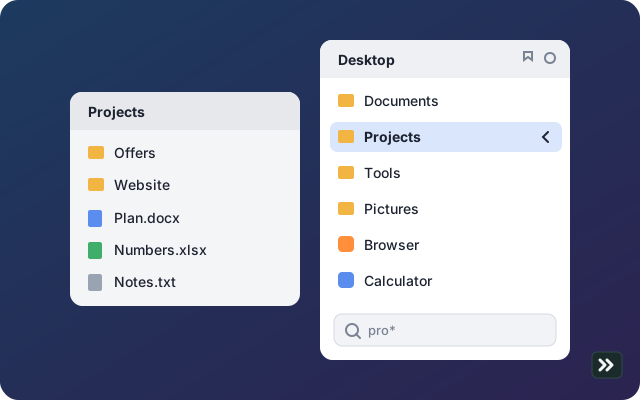
Folders as a menu
Subfolders open as their own columns, folders come first, “Photo 2” sorts before “Photo 10”.
Instantly there
Hotkey Ctrl+Win+M (macOS ⌃⇧M) or a click on the icon. The menu appears in about 5 milliseconds.
Type to search
Just start typing, * as a wildcard. Enter opens the match.
Keyboard all the way
Arrow keys, Tab to the next menu, Enter opens, Esc closes.
Shortcuts
Shortcuts to folders open as a submenu: symlinks,
.lnkon Windows,.desktopon Linux.Your own order
Drag entries to their place in the menu. The order is remembered per folder.
Always up to date
New or deleted files show up right away, open submenus stay open.
Light, dark, glass
Follows the system, size adjustable in percent, glass look on macOS.
Portable
With
config.tomlnext to the program, everything runs from a USB stick.
Availability
Version 3 is still being built and tested. Purchase and download will appear here once it is ready.
Until then, version 1 for Windows stays free.
System requirements
- Windows 10 or 11, 64-bit
- macOS on Apple silicon (M1 or later)
- Linux 64-bit with X11 (Wayland limited)
- About 20 MB of memory, no extra software
Privacy in the app
By default nothing leaves your computer. Only if you turn on “Send error reports” does a short report go to the developer after a crash, without user names, folder contents or settings.
This website is covered by the privacy policy.